
AI Baby Generator
This AI baby generator mixes two parents' faces into one child at 6 months, 1, 3 or 6 years. Your first image is free, no sign-up, no app.
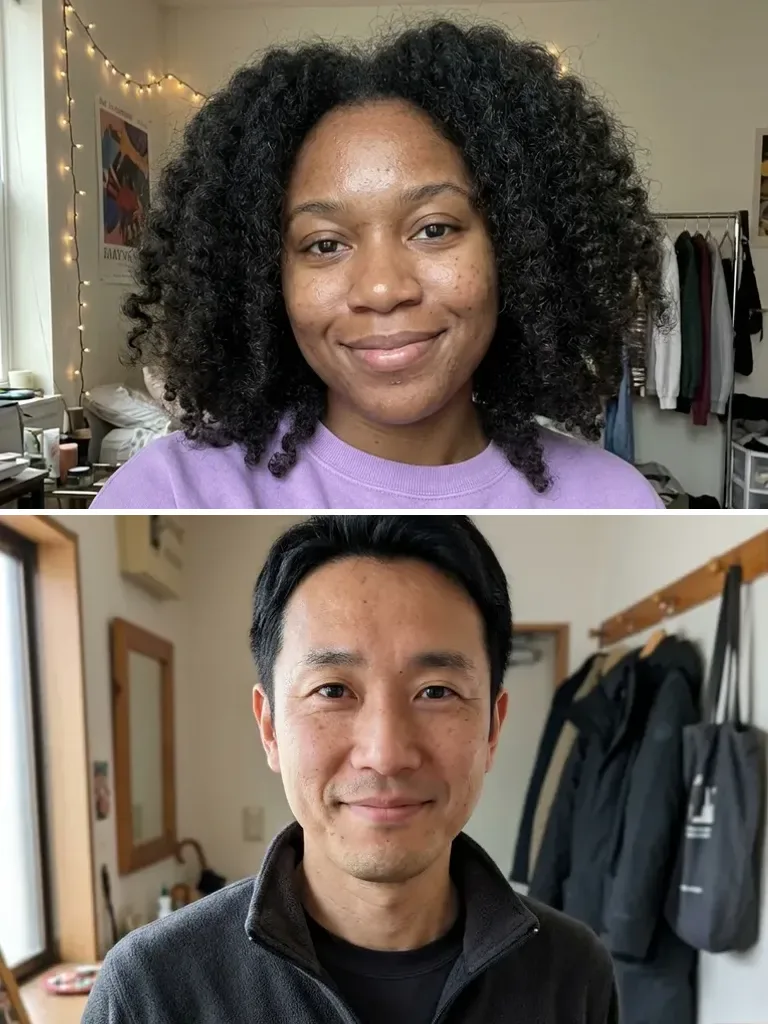 Before
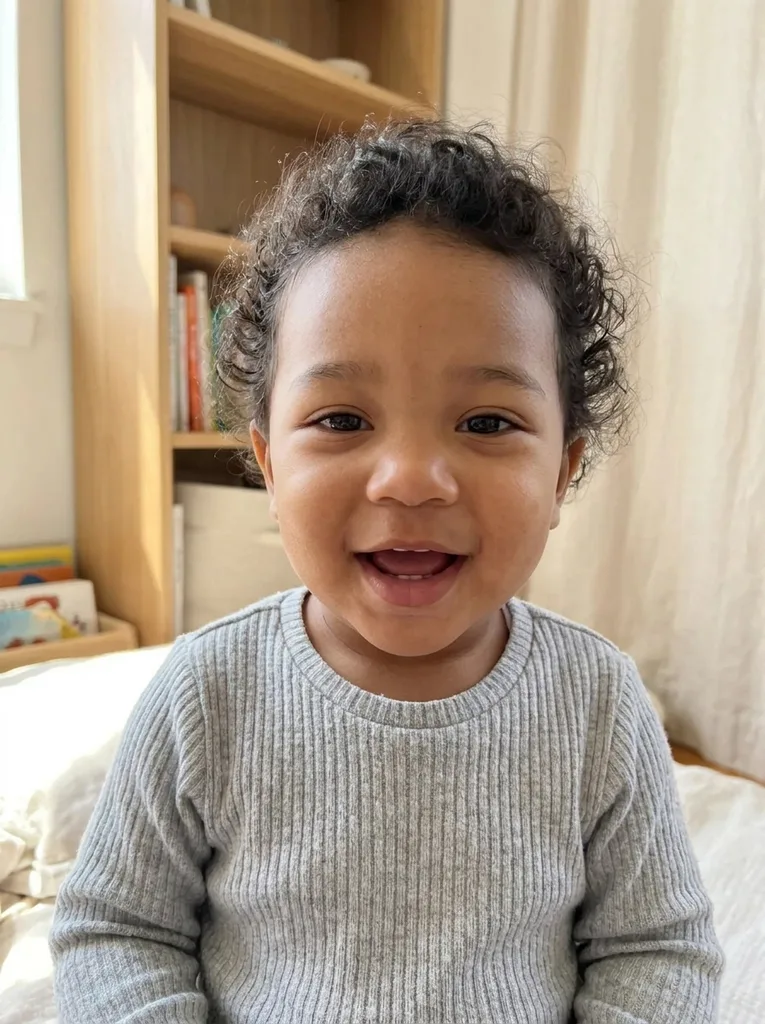 After
Example result. Upload your photo to make yours.
Examples
BeforeAfterHow to use the AI baby generator
Two photos, two choices, one picture. Pick the combination you most want to see, since the free allowance is one image.
- 1
Add parent 1, then parent 2
Drop in a clear, front-facing photo of each parent, one person per photo; JPG, PNG, WebP and iPhone HEIC files all work. The first file counts as parent 1, and to change the order you remove a thumbnail with the x and upload it again.
- 2
Pick Baby and Age
Choose Surprise Me, Girl or Boy, then 6 Months, 1 Year, 3 Years or 6 Years. If you like, type a short note such as "curly hair" or "wearing a yellow onesie" and it is added to the request.
- 3
Generate and download
The baby picture appears in the result area, while both parent photos stay as thumbnails in the panel beside it. Download saves the file with no watermark; the result is gone once you refresh or leave, so save it first.
How the AI baby generator mixes two faces
Each parent counts once. The model is told to give the child features from both photos: eye shape and eye color, eyebrows, nose, lips, face shape, hair color and texture, plus a skin tone that blends the two. With Surprise Me, the model picks a boy or a girl, whichever looks more natural for that mix.
There is no slider for "more like mom" or "more like dad". The request treats both photos the same way, and the order only says who is parent 1. In our example, a woman in her 20s with black curly hair and a man in his early 40s gave a laughing 1-year-old with dark curly hair and a skin tone between theirs.
Why an AI baby is one guess, not genetics
The model sees two photos and nothing else. It knows nothing about your genes or your family, and a real child's looks also come from traits that neither photo shows. Brothers and sisters with the same parents can look very different, so a single picture can't stand for all the children two people could have.
So the result may lean toward one parent or skip a feature you expected. It is an AI image: look at it next to both parent photos and enjoy it as a what-if, not as a sign of how your own child will turn out.
What the finished baby picture looks like
The child is alone in the frame, from the chest up, looking at the camera with a happy, relaxed face. The setting is a bright, simple room at home in soft daylight, never the background of either parent's photo. In our example that meant a light indoor scene behind a 1-year-old in a grey knit sweater.
The file is a 3:4 portrait, about 765 by 1024 pixels, and the model is asked for a candid phone-photo look rather than a cartoon. You can't crop, edit or enlarge it on the page, and changing Baby or Age afterwards doesn't update it: that takes a new run.
Free use, your photos and who can be in them
What you get for free and what happens to the two photos you upload.
One free image, no sign-up
This AI baby generator gives each visitor one free image, counted across the whole site rather than per page, with no account and no credit card. There is no paid plan to buy more, and a run that fails doesn't use it up.
What happens to both photos
Your photo is only used to create your images and is never used to train AI models. Your browser shrinks each photo before upload; the copies sit in our cloud storage at unlisted links the model reads from, and you can ask by email for them to be deleted. The finished picture is held by our AI provider for a limited time so you can download it, then deleted.
Both people agree
Upload a partner's or friend's photo only if they have said yes; the terms allow your own photos or those of people who agreed. Don't present the result as a real child's photo or use it to mislead anyone.
Adults only
You must be 18 or older, and so must both people in the photos. The baby in the result is made up by AI from two adult faces; it is not a photo of a real child.