
Face Morph
Upload two faces and the face morph draws one new person from both. Pick an even mix or lean toward one photo. Your first image is free, no sign-up.
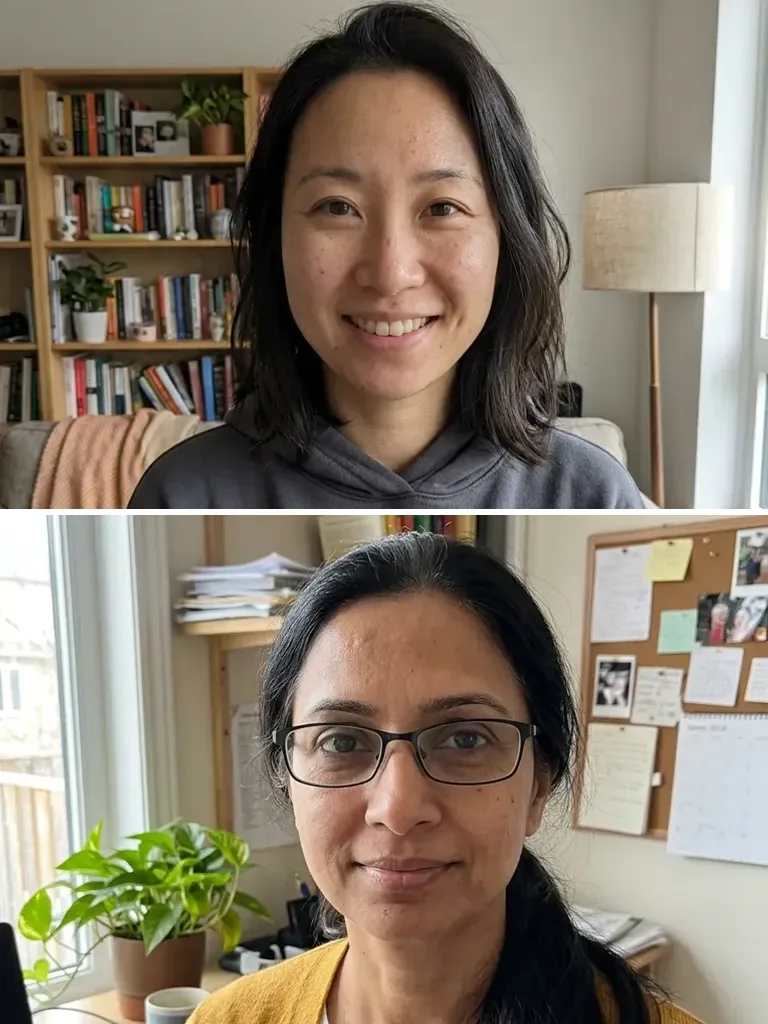 Before
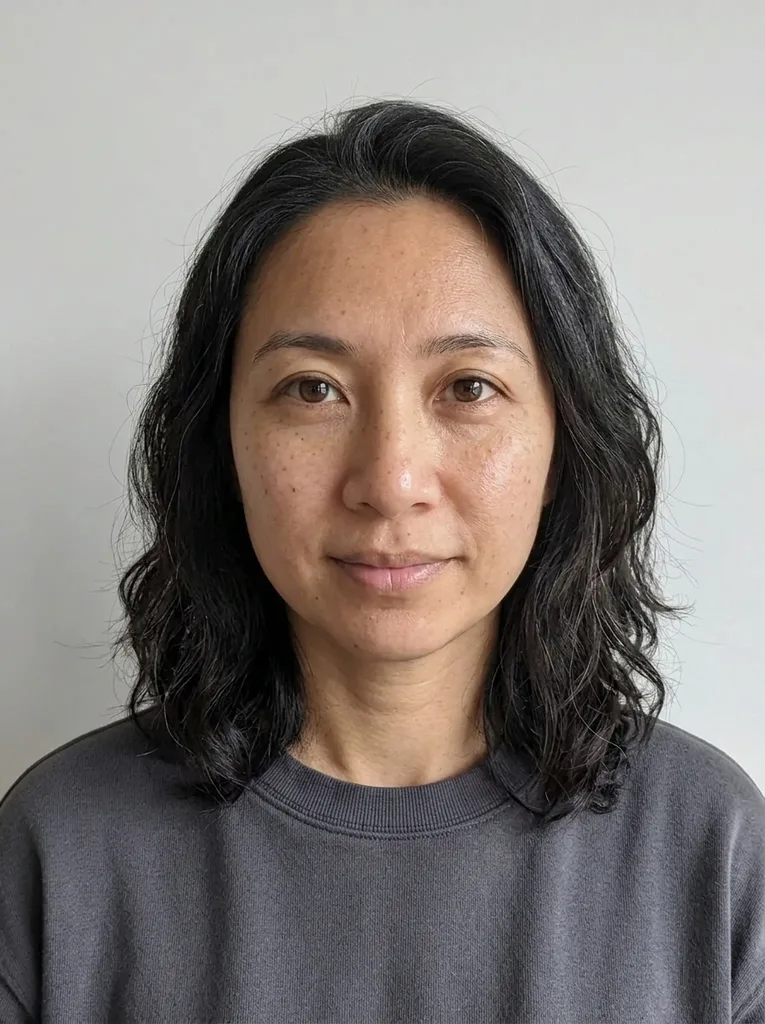 After
Example result. Upload your photo to make yours.
Examples
BeforeAfterWhat this face morph makes from two photos
Two faces go in, one new person comes out, and that person is neither of you.
You upload two photos, one face in each, and choose a Mix: 50 / 50, More Photo 1 or More Photo 2. The two lean options ask the model for about 70% of one face and 30% of the other. The model is told to blend face shape, eyes and eye color, eyebrows, nose, lips, jawline, skin tone, hair and apparent age, aiming for someone people who know you both would see traits of each in.
The prompt asks for a brand-new portrait: one person, front-facing, head and shoulders, neutral friendly expression, plain light-grey background, simple dark top. Our example came back that way, with neither photo's background or clothes. A face morph blends two faces into a new person; a face swap puts one face into an existing picture.
The mix is a request, not a measured ratio. In our 50 / 50 example the new woman took her hair and face shape mostly from photo 1, and photo 2's glasses were gone. It is an AI image, so compare it with both photos before you share it.
Made for
- Couples
- Best friends
- Adult siblings
- Writers and game makers
- Curious pairs of coworkers
Face merge, face swap or group photo: which one?
Tools that combine faces do different jobs. Pick by what you want to end up holding.
| Face morph (this page) | Face swap | Group photo combiner | Baby generator | |
|---|---|---|---|---|
| What you upload | Two photos, one face each | A face and a photo to put it on | 2 to 4 photos of people | One photo of each parent |
| Who is in the result | One new adult, a mix of both | The same people, one face replaced | Everyone, each person once | One child only |
| Background and clothes | New: light-grey backdrop, dark top | Kept from the photo you put the face on | A scene you pick, own clothes asked for | A simple bright room |
| Your control | 50 / 50, More Photo 1, More Photo 2 | Which face goes where | Six scene presets | Girl, boy or surprise, and an age |
| Use it to | See a blend of two people | Put a face into an existing picture | Make a photo of people who were never together | Picture a possible child |
| On this site | Yes, here | No, not offered | Yes, AI image combiner | Yes, AI baby generator |
Ways people use a face combiner
Every idea below uses two adults who said yes to having their photo used.
The couple who became one person
Morph your face with your partner's at 50 / 50 and see who wins the nose. It makes a good anniversary card or a laugh over dinner.
Best friends, merged
Two friends who get mistaken for each other can test the theory. Post the face merge in the group chat and let everyone guess whose eyes they are.
Adult siblings and the family face
Combine faces of two grown siblings and see how a blend of the two reads as one person. The plain grey backdrop keeps the attention on the features.
Lean it on purpose
Want the face morph to read as mostly you? Upload your photo first and pick More Photo 1. Put it second and pick More Photo 2 to flip it.
A face for a story or game
Need an invented character who looks like a real person? A face morph of two consenting friends gives you someone new to use as reference art.
Steer it with a short note
Add a few words in the optional box, like smiling or long hair. The note is added to your request, the way to ask for something other than the default neutral look.