
AI Image Combiner
Upload 2 to 4 photos, pick a scene, and the AI image combiner redraws everyone together in one photo. Your first image is free, no sign-up.
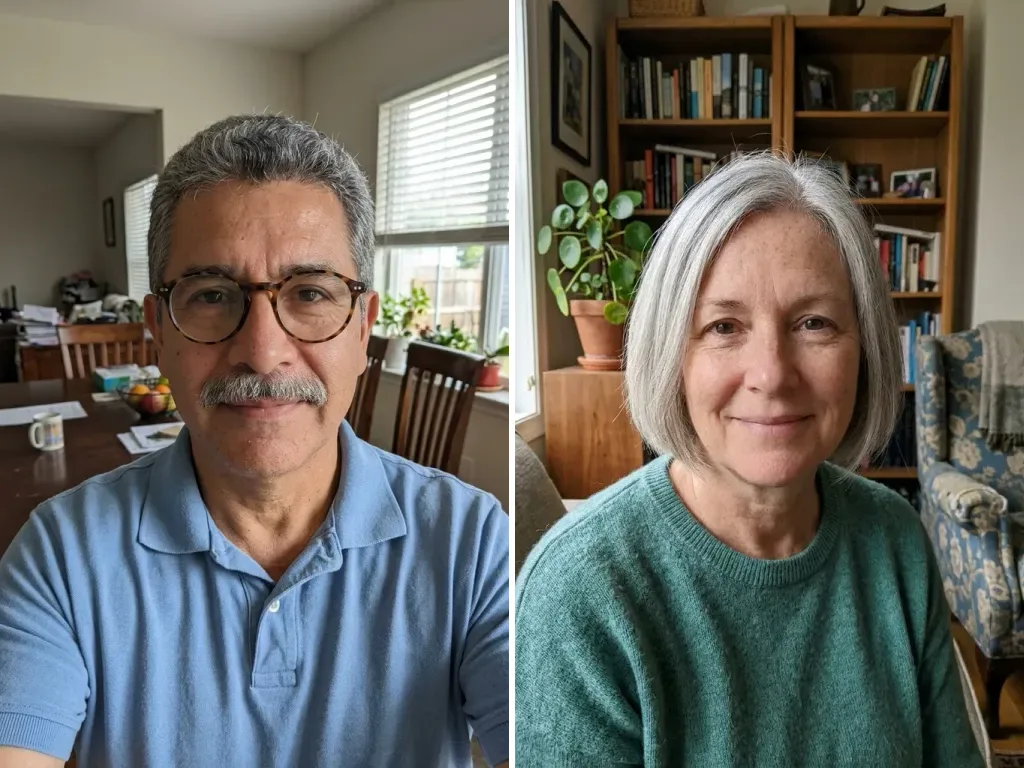 Before
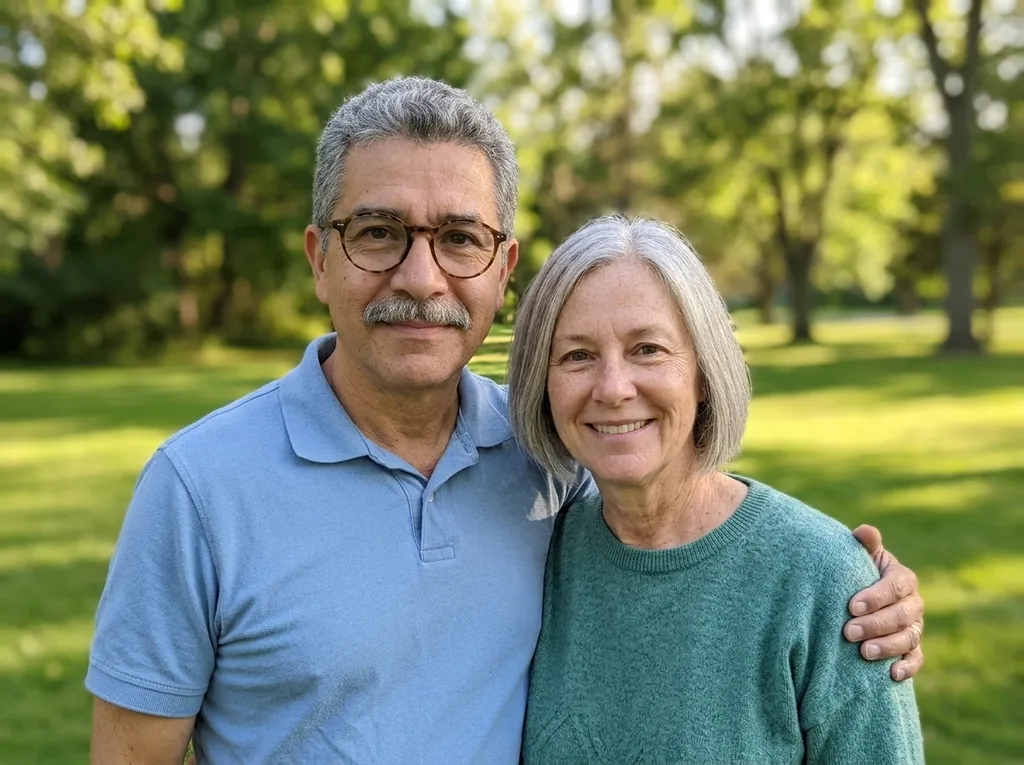 After
Example result. Upload your photo to make yours.
Examples
BeforeAfterWhat This AI Image Combiner Makes
One new photo of the people from your uploads, standing together in the scene you choose.
This AI image combiner takes 2 to 4 photos of people and draws them again as one new picture. They stand close together and look at the camera, like friends or family posing for a single shot. The model is asked to match scale, perspective, light and shadows, so the result reads as one photo taken with one camera rather than cut-outs on a background.
Each person should appear once and keep their own face, hairstyle, skin tone, body type, age, glasses and the clothes from their own photo. That is an instruction, not a check, so it is an AI image: compare it with your photos. In our example, a man in his 50s kept his glasses, mustache and blue polo, and a woman in her 60s kept her short silver hair and green sweater, under one consistent light.
This AI image combiner is built for photos of people. If you want your pictures placed next to each other without any change, Merge Images does that in your browser.
Made for
- Friends in different cities
- Couples
- Families spread apart
- Anyone missing from a group photo
- People making a card or keepsake
How to Combine Photos of People Into One
Four steps, one result. The order you upload in matters for one scene.
- 1
Upload 2 to 4 photos
Click or drop JPG, PNG, WebP or HEIC files; HEIC is turned into JPEG and large photos are resized in your browser first. Clear faces and half or full body shots work best, and photos with similar light blend more naturally.
- 2
Pick one of six scenes
Park is the default: a green park on a sunny afternoon with soft trees behind. Studio uses a plain light-grey backdrop, Beach a sandy shore in warm late-afternoon light, Living Room a sofa in a cosy room, and City at Night a street with glowing shop lights.
- 3
Use your own place, if you like
Choose Last Photo's Background and upload the scene as your last photo; the people from the other photos are placed into it, and anyone already in that photo stays. Photos keep their upload order, so to change it, remove a thumbnail with the × and add it again.
- 4
Add a note, then generate
The optional box takes up to 500 characters, such as "everyone smiling" or "arms around each other", and is added to the request. When the AI image combiner is done, check every face against its photo and use Download to save it.
When People Use an Image Combiner for Group Photos
Real reasons to want a photo you never got to take, with everyone in it agreeing.
Friends who live far apart
Two or three friends in different cities can each send a recent photo and appear side by side on a beach or a night street. Ask each friend first; the terms require their consent before you upload their picture.
A couple's shot you never took
Long-distance partners often have plenty of selfies and no photo together. Two clear photos and the Living Room or Park scene give you one, drawn by AI rather than taken on the day.
Adult family members who rarely meet
Siblings or a parent and grown child in different places can stand together in one frame. Everyone you upload must be 18 or older, so this is for adults only.
Someone who missed the group photo
Put the group photo last, pick Last Photo's Background, and add a photo of the person who wasn't there. The people already in the scene are kept too, so check everyone afterward.
A clean portrait for a card
Studio puts everyone in front of a plain light-grey backdrop with soft light, a simple look for a greeting card or a framed print at home. The file is a 4:3 horizontal picture, so plan the card around that shape.
A scene you choose for fun
Pick City at Night or Beach and add a note like "laughing together" to set the mood. Share it as an AI picture: the terms forbid passing a combined photo off as a real one.